
For general contractors
Software for small general contractors who run their own subs
When you are the general contractor, the job is keeping a dozen trades in order and the money straight. HomeTakeOff puts the schedule, the bids, the budget and the draws for each job in one place, without the setup a commercial platform needs.
- Bid requests to subs with no login for them
- A schedule where linked trades move together
- Budget against actual on every phase
- A crew app for your own field workers
Free during the beta. No credit card.
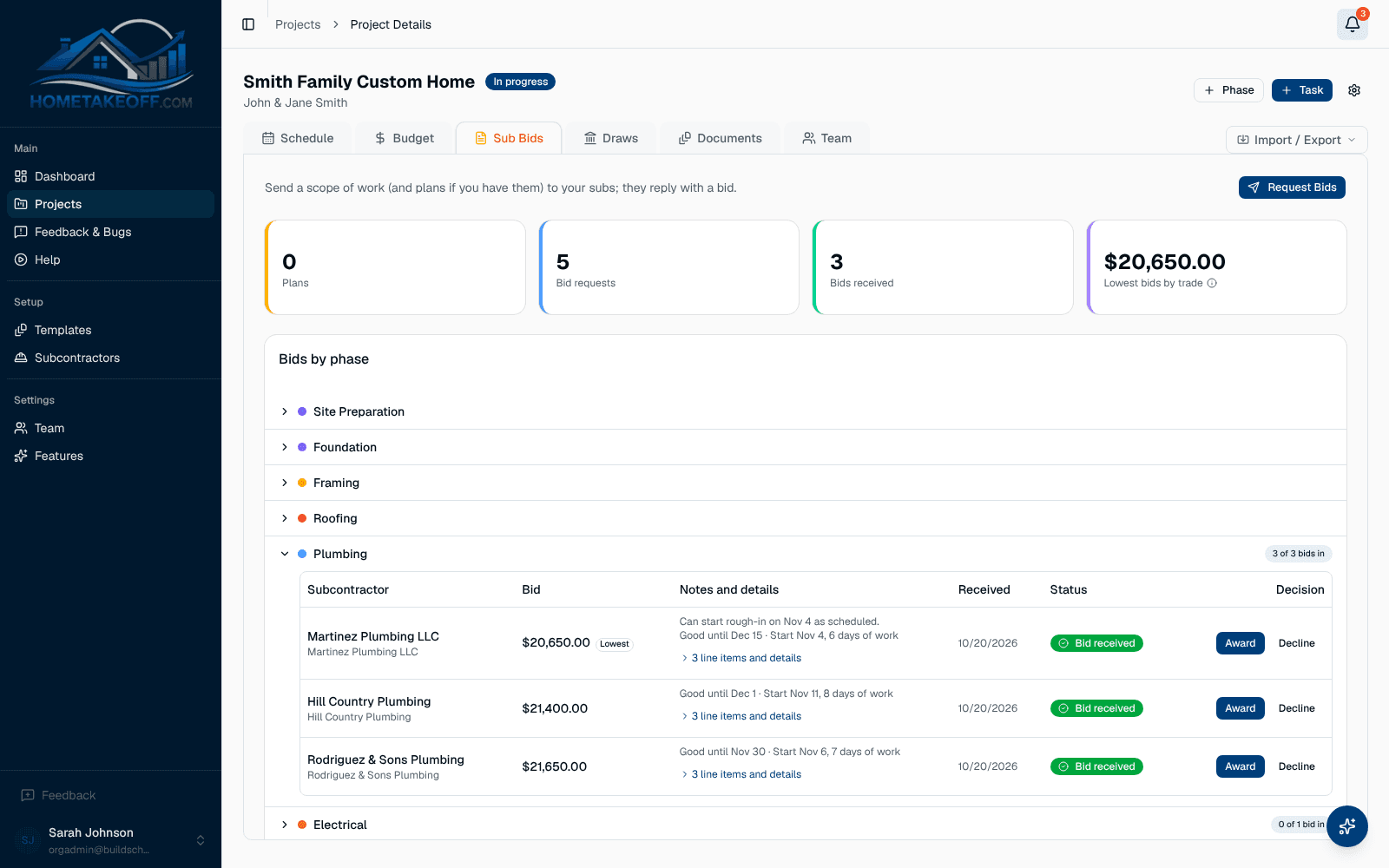
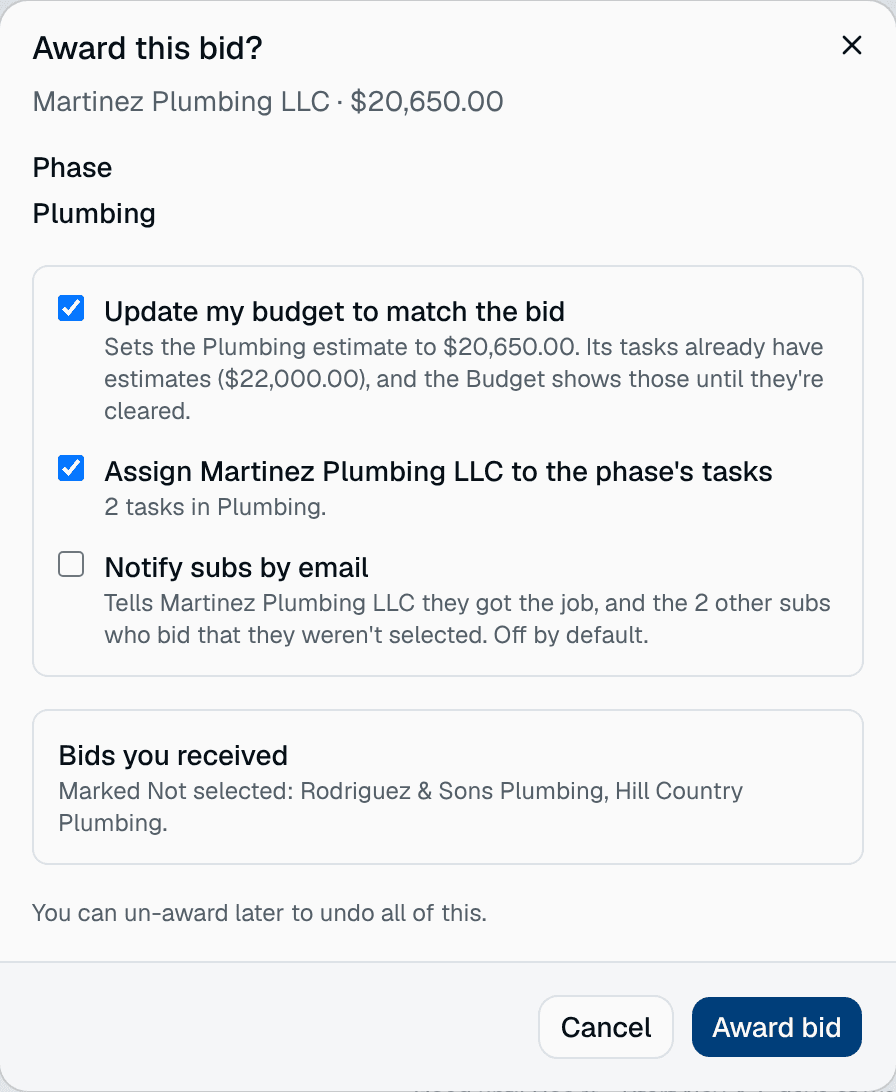
Get the trades bid and booked
Send one bid request per trade with the scope, the plans and a due date. Subs answer from an emailed link, the bids line up side by side, and awarding one updates the budget and puts the sub on the phase's tasks.
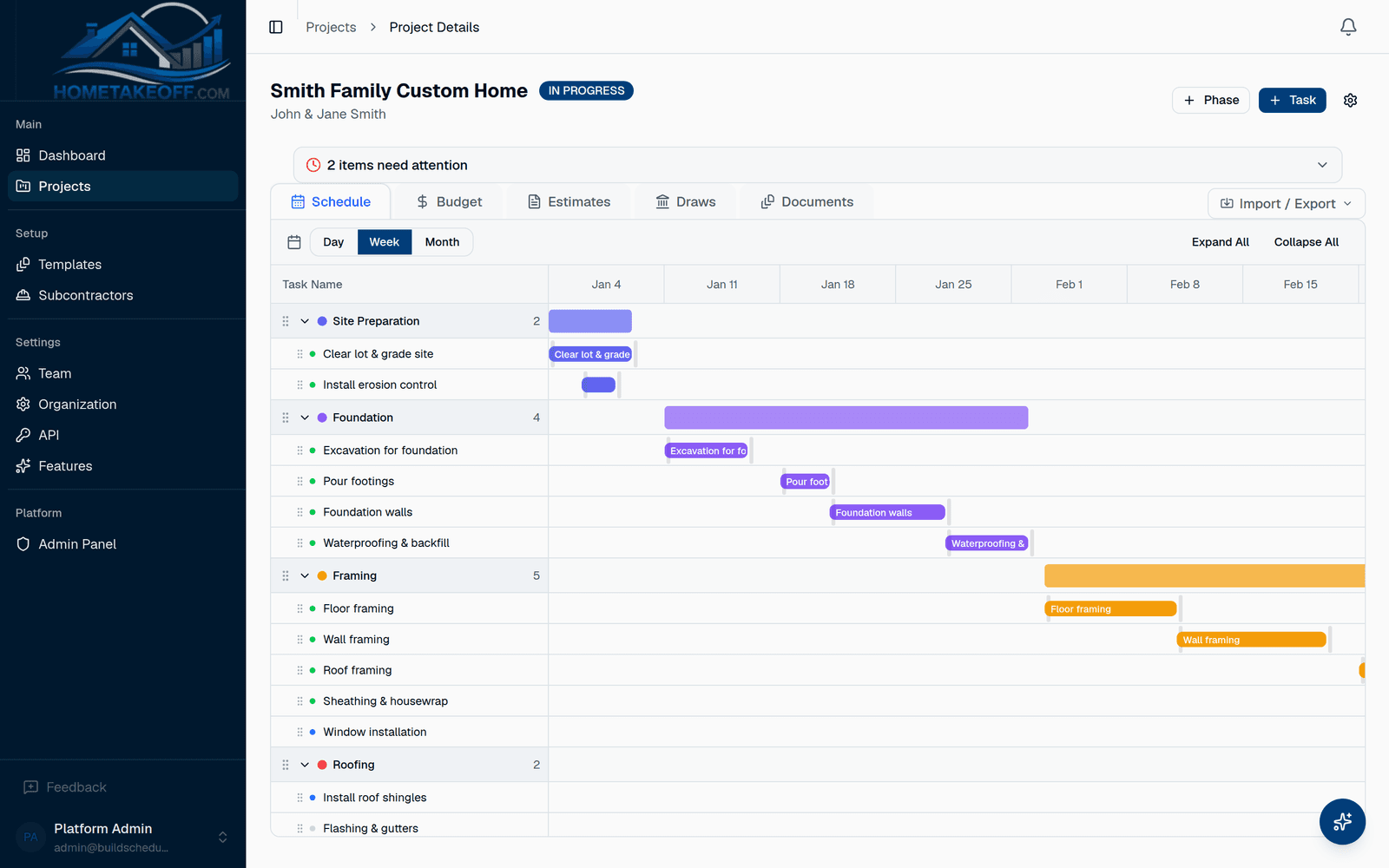
Keep the trades in order
Link each trade's tasks to the work before it. When the framer runs a week late, the roofer, the rough-ins and everything after move with it, and the dashboard shows what's now late.
Your people see their part
Project managers get the full job. Your field workers get the Crew view with their own tasks. Subs see only the bid requests you send them. Access is set by role and by project.
Questions builders ask
Is this built for commercial work?
No. HomeTakeOff is built for residential work: new homes, remodels and additions, run by small teams.
How many subs and projects can I add?
As many as you like. Projects, team members and subs are unlimited during the beta.
How much does it cost?
Nothing during the beta. Everything in the app is free for every account, including the AI Assistant, up to a generous allowance for each company. There is no credit card and no trial clock. Beta users will hear about any change well in advance.
Try it on your next job
Create a free account, look around the sample project, then schedule a real one.
Create a free account