
For remodelers
Remodeling project management software
Remodels move fast and change often. HomeTakeOff gives remodelers and design-build firms a schedule that adjusts when the job does, a budget that shows overruns right away, and an easy way to get bids from subs.
- Kitchen and bathroom remodel templates
- Schedule that shifts when a task slips
- Budget variance on every task
- Sub bids with no login for your subs
Free during beta. No credit card.
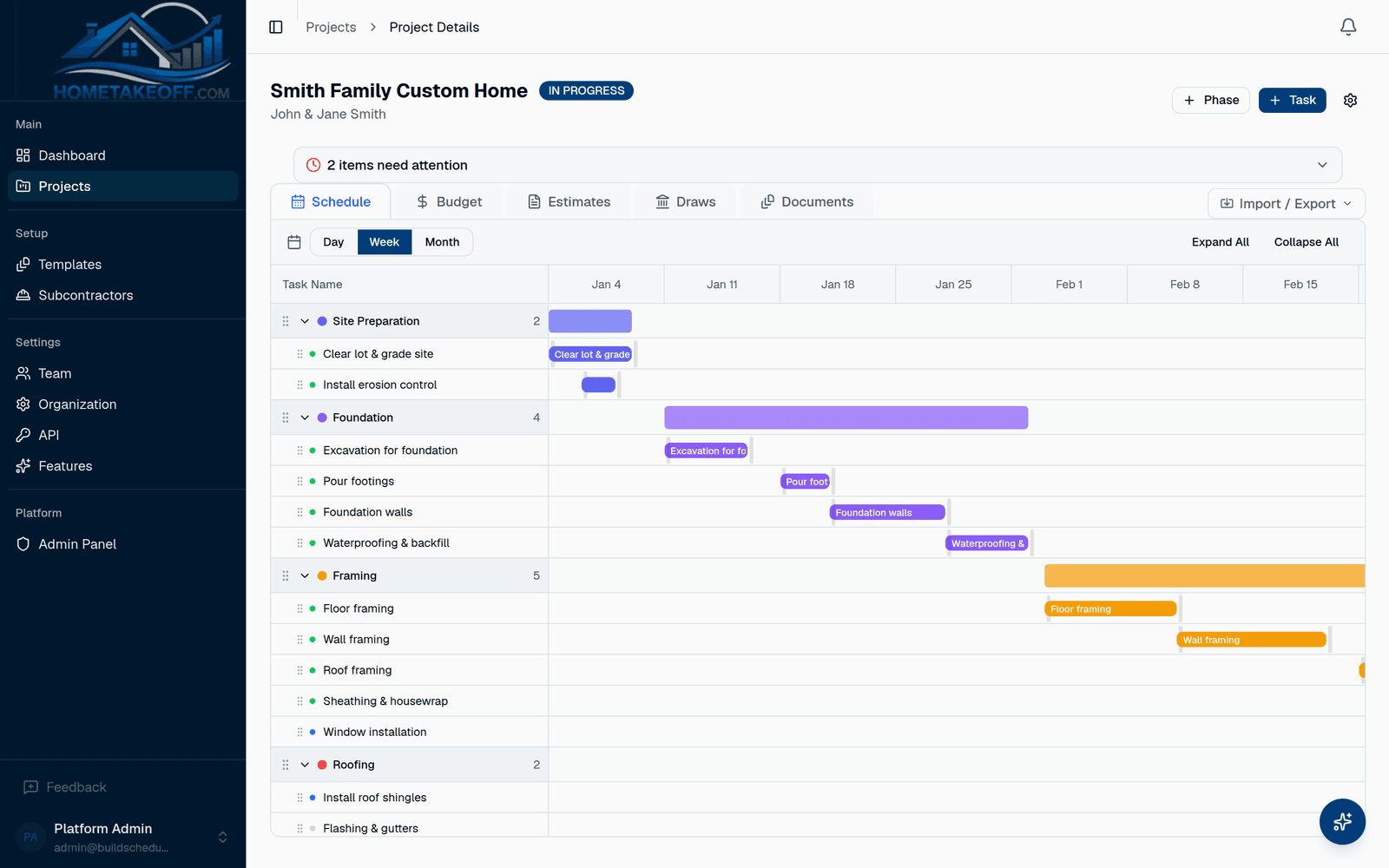
Kitchen and bath templates to start from
Start from the kitchen or bathroom remodel template: demo, rough-ins, waterproofing, drywall, cabinets, countertops, flooring and finishes, each with a workday length. Tweak it for how you work and save it as your own.
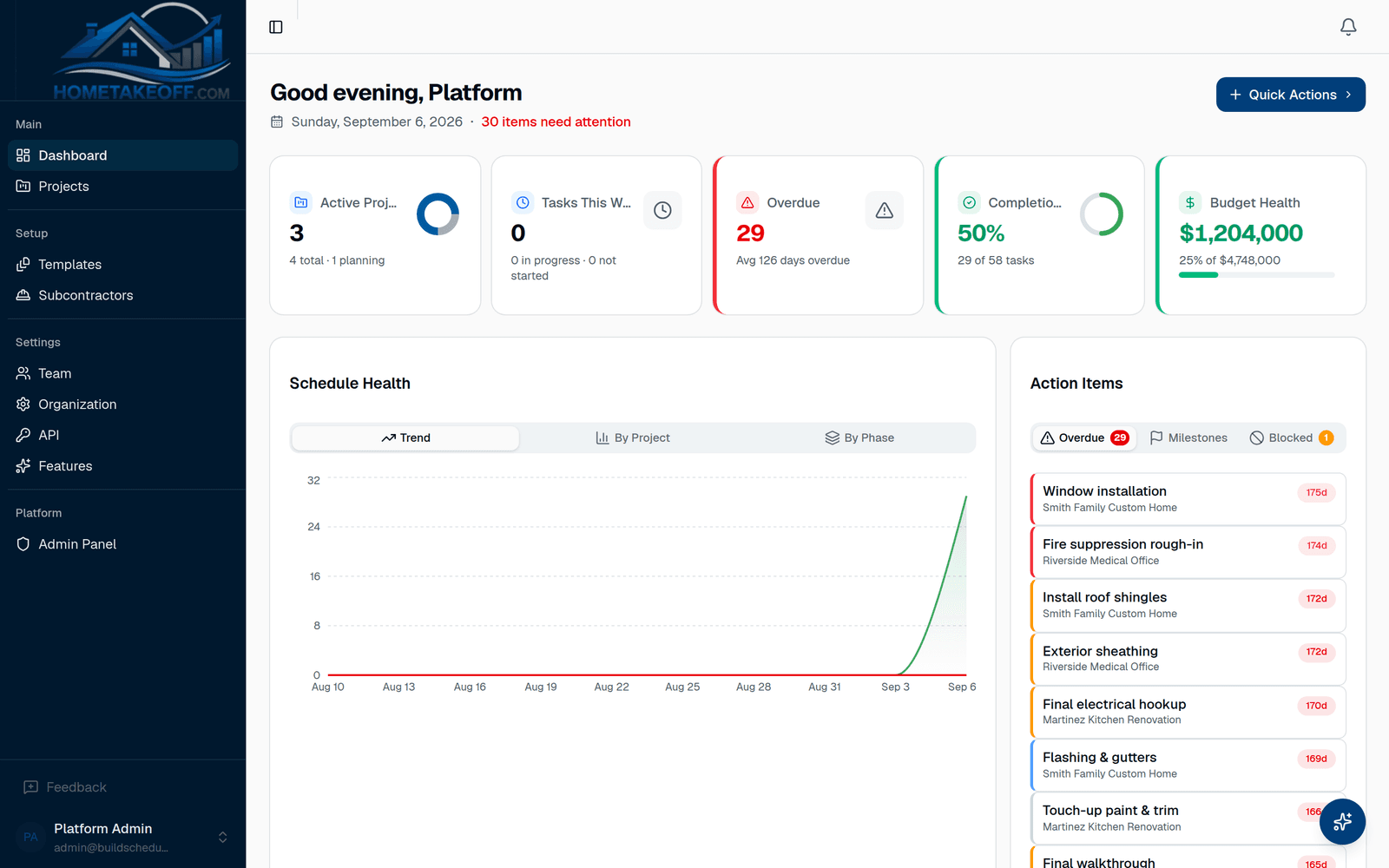
Keep several remodels moving at once
The dashboard shows every active job: what is overdue, what is unassigned and where the budget is off. Your crew gets the Crew view with today's tasks, notes and photos.
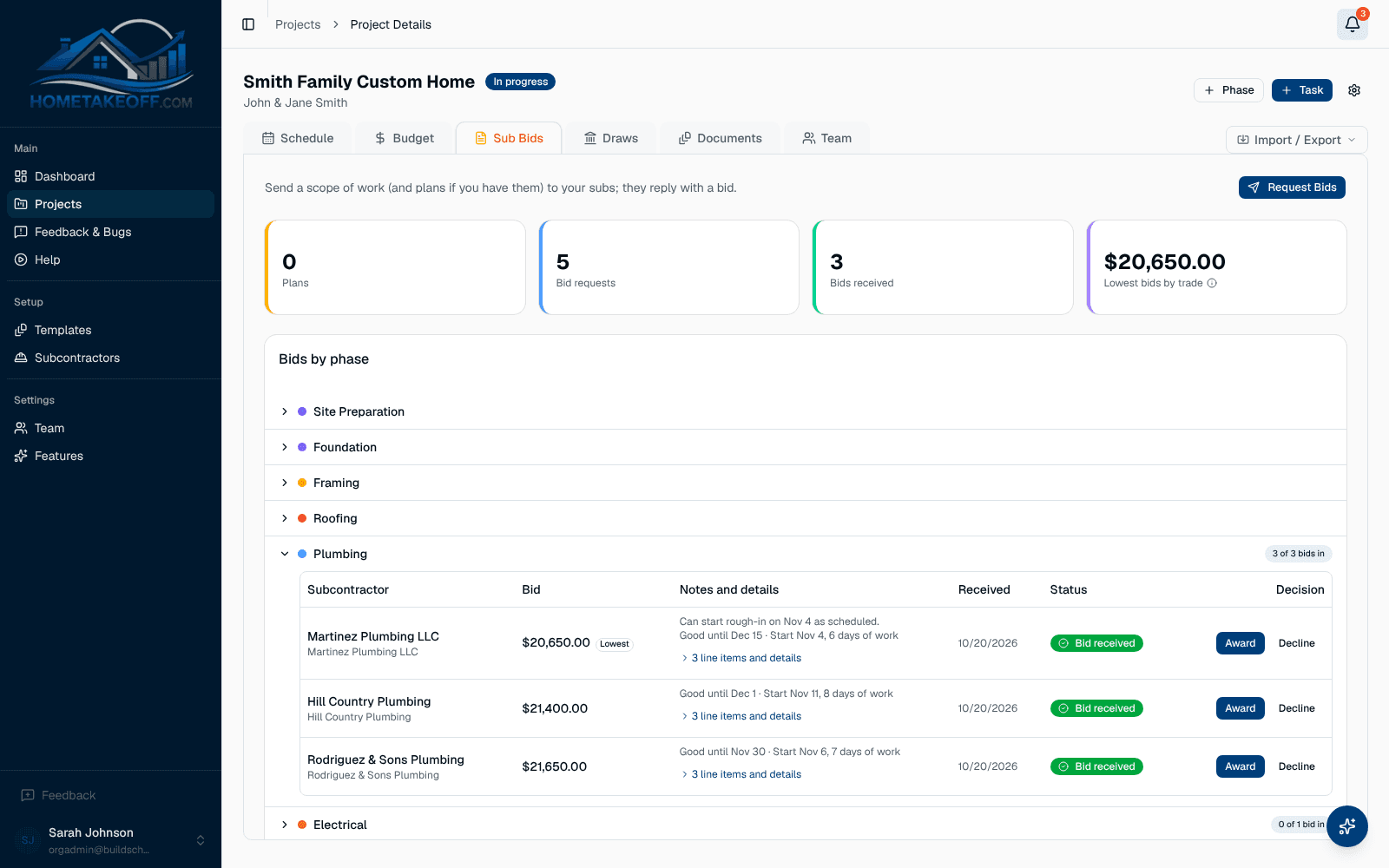
Faster bids from your trades
Send your plumber, electrician and tile setter a bid request with the scope and plans. They reply from an emailed link, and you compare bids side by side before you award the work.
Questions builders ask
Does it work for small remodeling companies?
Yes. It is built for small teams. There is nothing to configure, and you can have a remodel scheduled from a template in a few minutes.
Can my clients see the schedule?
Not yet. Today access is for your team, your crew and your subs. Ask the AI Assistant for a budget summary when you need something to share with the homeowner.
How much does it cost?
Nothing during the beta. Every feature, including the AI Assistant, is free for every account. There is no credit card and no trial clock. Beta users will hear about any change well in advance.
Try it on your next job
Create a free account, look around the sample project, then schedule a real one.
Create a free account