
Construction scheduling
Construction scheduling software for home builders
Build a full home construction schedule from a template in minutes. HomeTakeOff lays every phase and task on a Gantt chart, counts workdays so nothing lands on a weekend, and moves the rest of the job when one task slips.
- Gantt chart with phases, tasks and dependencies
- Templates that count workdays, Monday to Friday
- Drag a task and everything after it follows
- 7-day job site weather right on the schedule
Free during beta. No credit card.
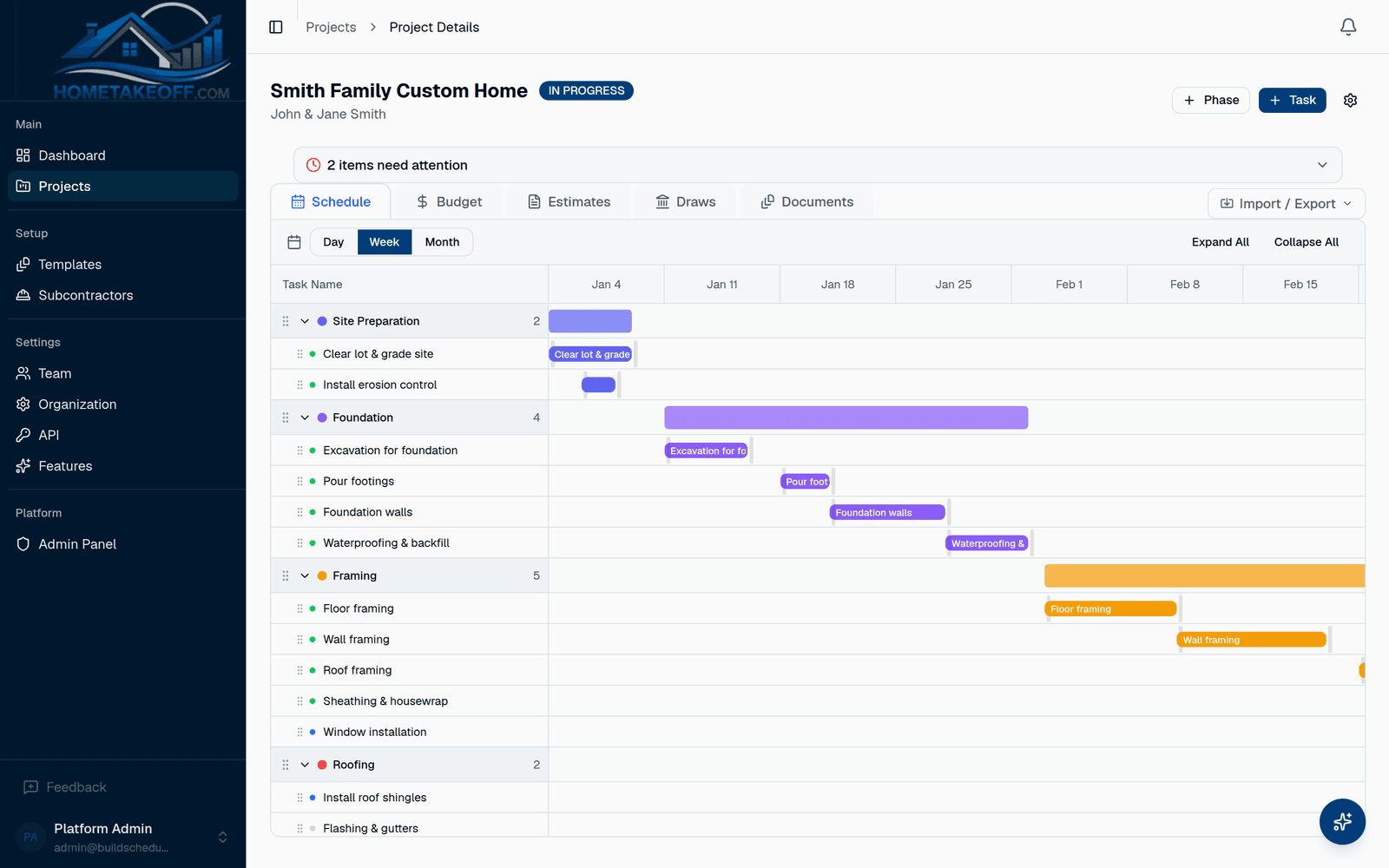
A residential construction schedule in ten minutes
Pick a starter template for a custom home, a kitchen remodel or a bathroom remodel, or start from one of your own. Set the start date and HomeTakeOff builds the whole schedule: site work, foundation, framing, rough-ins, drywall, finishes and closeout, each with a real length in workdays.
Templates count workdays, not calendar days. A five-day framing task starting on a Thursday ends the next Wednesday, and a project that starts on a Saturday begins on Monday.
- Starter templates for a custom home, kitchen and bathroom
- Save any project as your own template
- Import a schedule from CSV, export it any time
A Gantt chart built for the way houses get built
Link tasks once. When the concrete pour slips two days, framing, the roof and everything that depends on them move with it. Drag a bar to change dates and see the new finish date right away.
Phases roll up their tasks, so you can look at the whole house on one screen or open a phase to see every trade in it.
See problems before the homeowner calls
The dashboard shows overdue tasks, work nobody is assigned to and weather that clashes with outdoor work across every job you are running. Plan the pour and the roof around the rain instead of finding out the morning of.
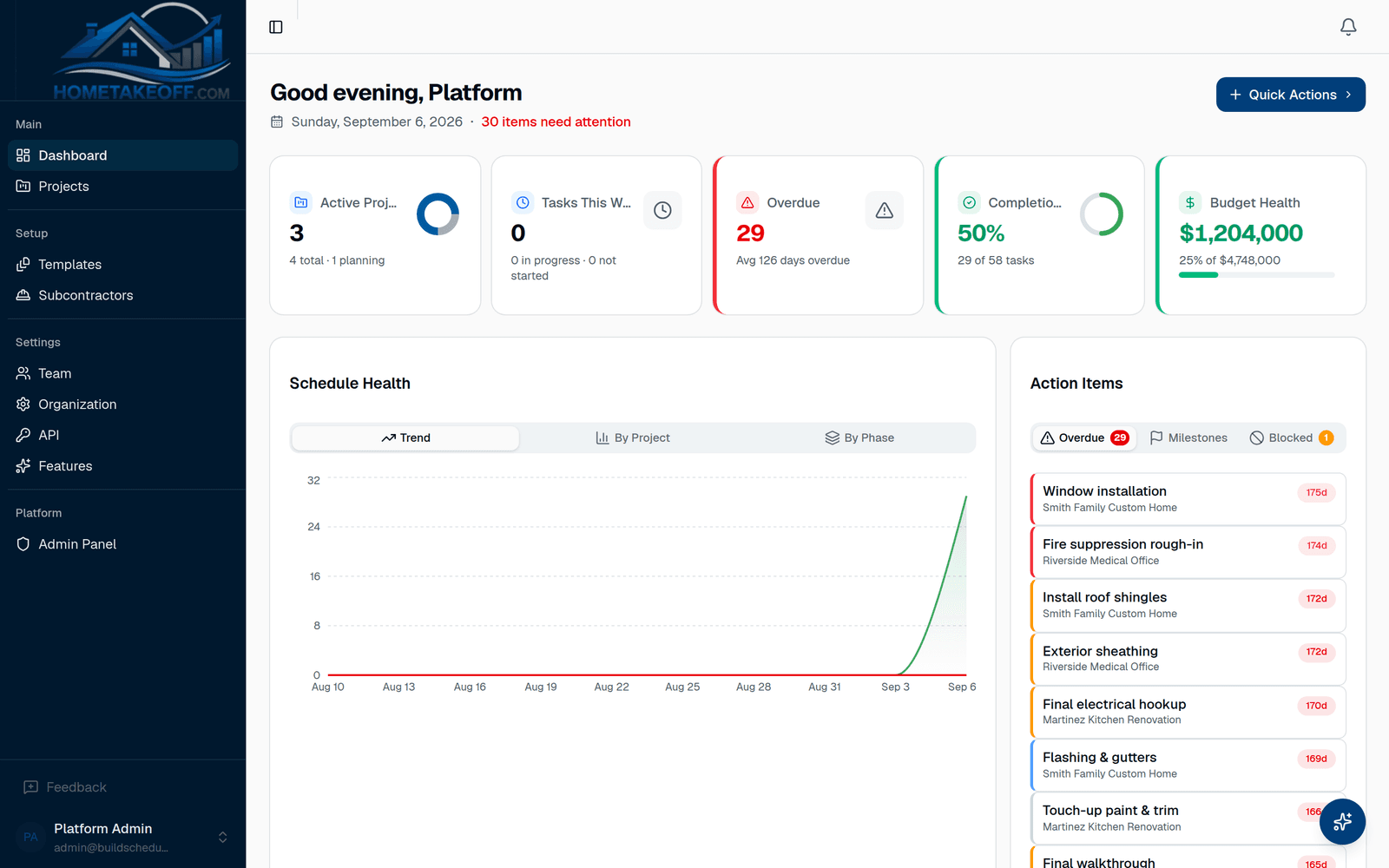
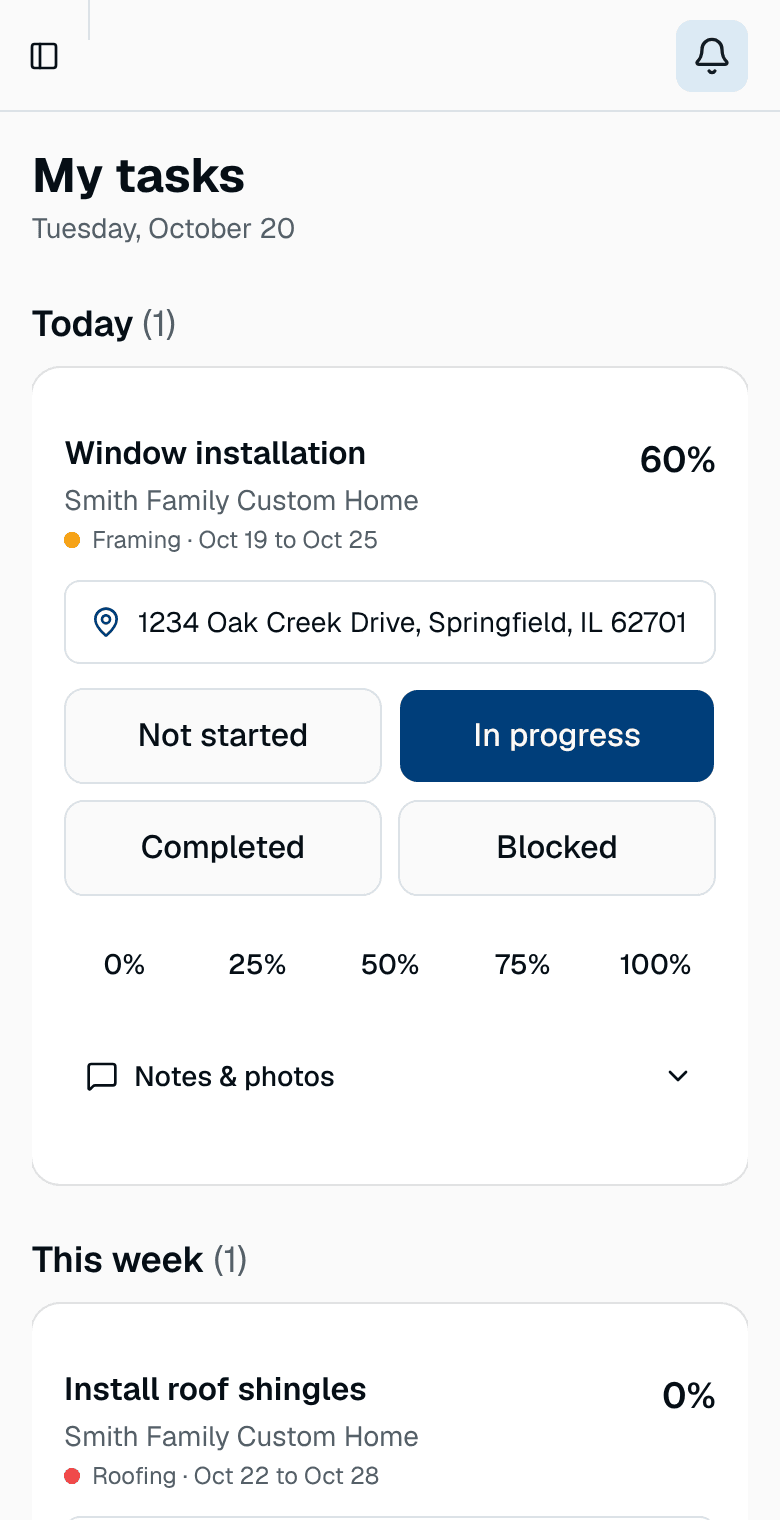
Your crew sees the schedule too
Field workers get the Crew view: today's tasks in big buttons, with notes and photos from the job site. Subcontractors and crew only see the work you give them access to.
Questions builders ask
Is there a free construction scheduling app for home builders?
Yes. HomeTakeOff is free during its beta, with unlimited projects and team members. It runs in the browser on a computer, tablet or phone, so there is nothing to install.
Does the schedule skip weekends?
Yes. Templates count workdays, Monday to Friday, so a task never starts or ends on a weekend when you build a project from a template.
Can I import my existing schedule?
Yes. You can import a schedule from a CSV file, and export your schedule and budget to CSV whenever you want.
How much does it cost?
Nothing during the beta. Every feature, including the AI Assistant, is free for every account. There is no credit card and no trial clock. Beta users will hear about any change well in advance.
Try it on your next job
Create a free account, look around the sample project, then schedule a real one.
Create a free account