
Sub Bids
Subcontractor bid management for residential builders
Stop chasing bids by text and email. With Sub Bids you send one bid request with the scope of work, the plans and a due date. Your subs reply from a link in their email, no login needed, and you compare every bid side by side.
- Bid requests with scope of work, plans and a due date
- Subs reply from an emailed link with no login
- Automatic reminders before the due date
- Compare bids side by side and award one
Free during beta. No credit card.
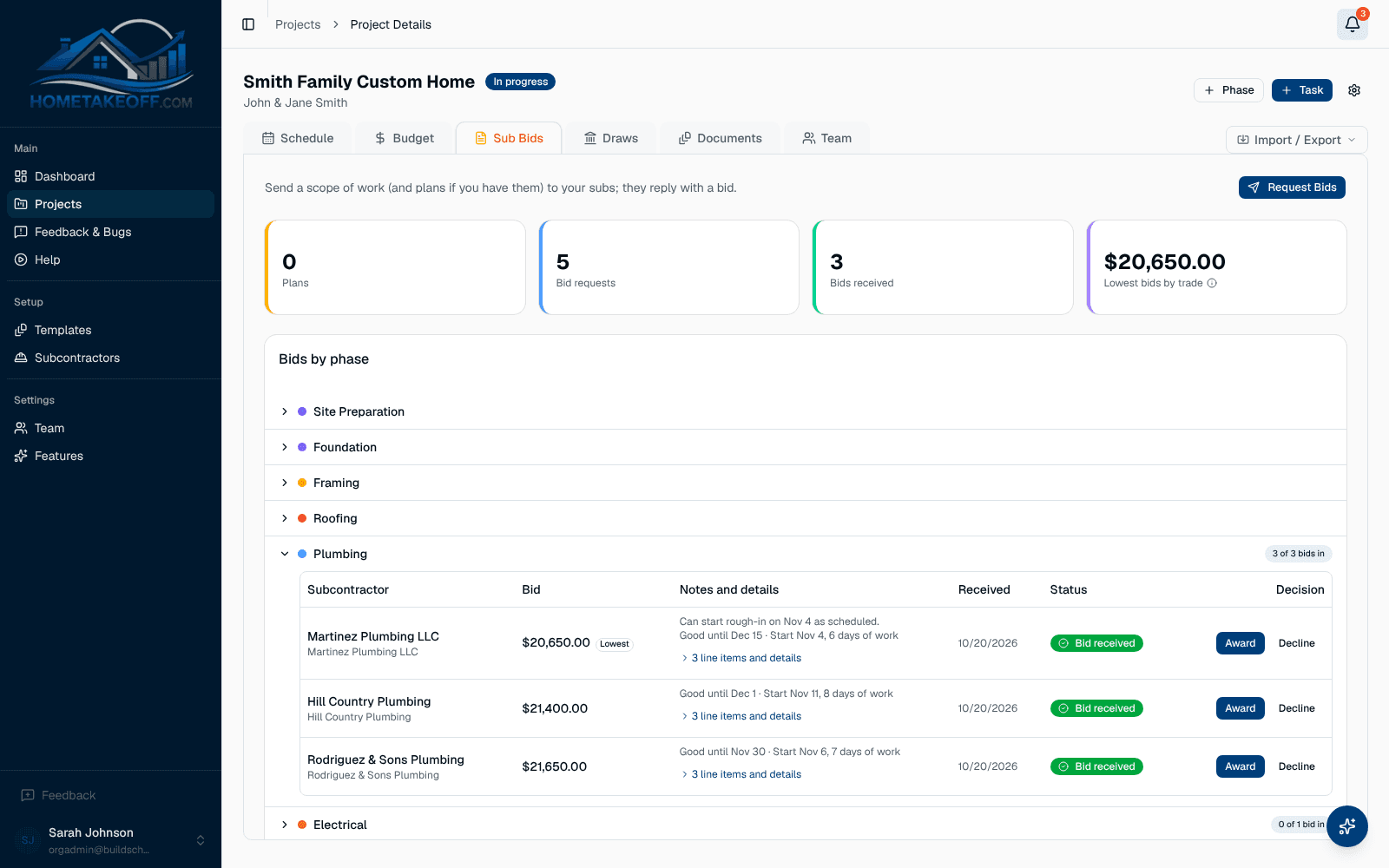
Send a bid request in one step
Open the Sub Bids tab on a project, pick the phase, write the scope of work, attach the plan set and set a due date. Choose the subs to invite and HomeTakeOff emails each of them a private link.
- Scope of work and plan PDFs in every request
- Invite several subs to bid on the same phase
- Close bidding when you have enough, and reopen it if you need more
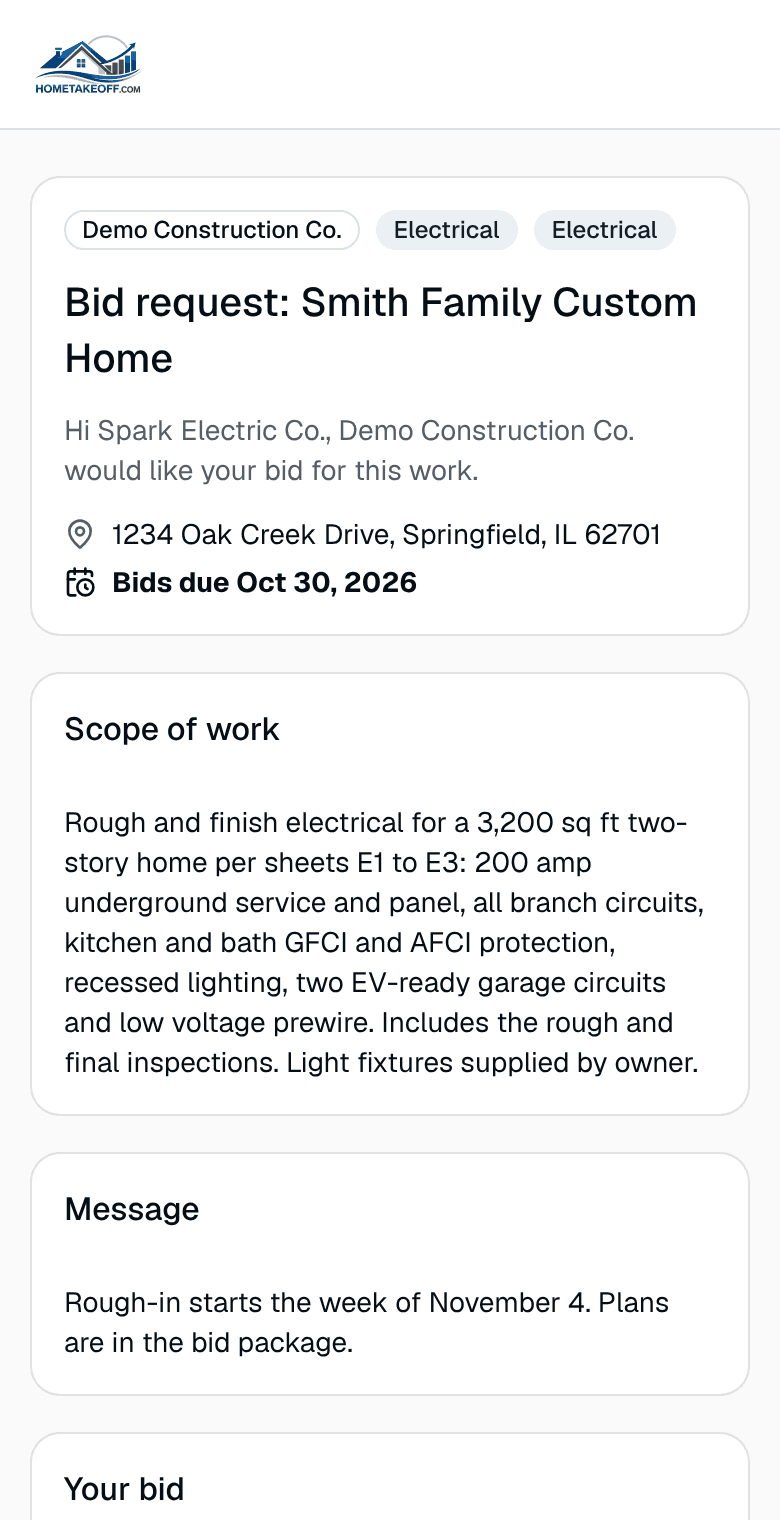
Subs bid without making an account
Your subcontractors open the link, read the scope, look at the plans and send their bid. They can list line items, say what is included and what is excluded, give their dates and attach their own quote PDF.
No app to download and no password to forget means more of your subs actually reply.
Reminders that do the chasing for you
HomeTakeOff emails each sub who has not replied a reminder two days before the bid is due and again on the due date. If you want to nudge someone yourself, the Send reminder button is there, limited to once a day so nobody gets spammed.
Compare bids side by side and award the job
Bids for each phase line up next to each other, so you can see price, inclusions, exclusions and dates at a glance. Award one and the winning number goes straight into the project budget. No retyping.
Questions builders ask
Do my subcontractors need an account to bid?
No. Each sub gets a private link by email and submits their bid from it. They never create an account or log in.
Can a sub send their own quote?
Yes. Along with line items, inclusions, exclusions and dates, subs can attach their own quote as a PDF.
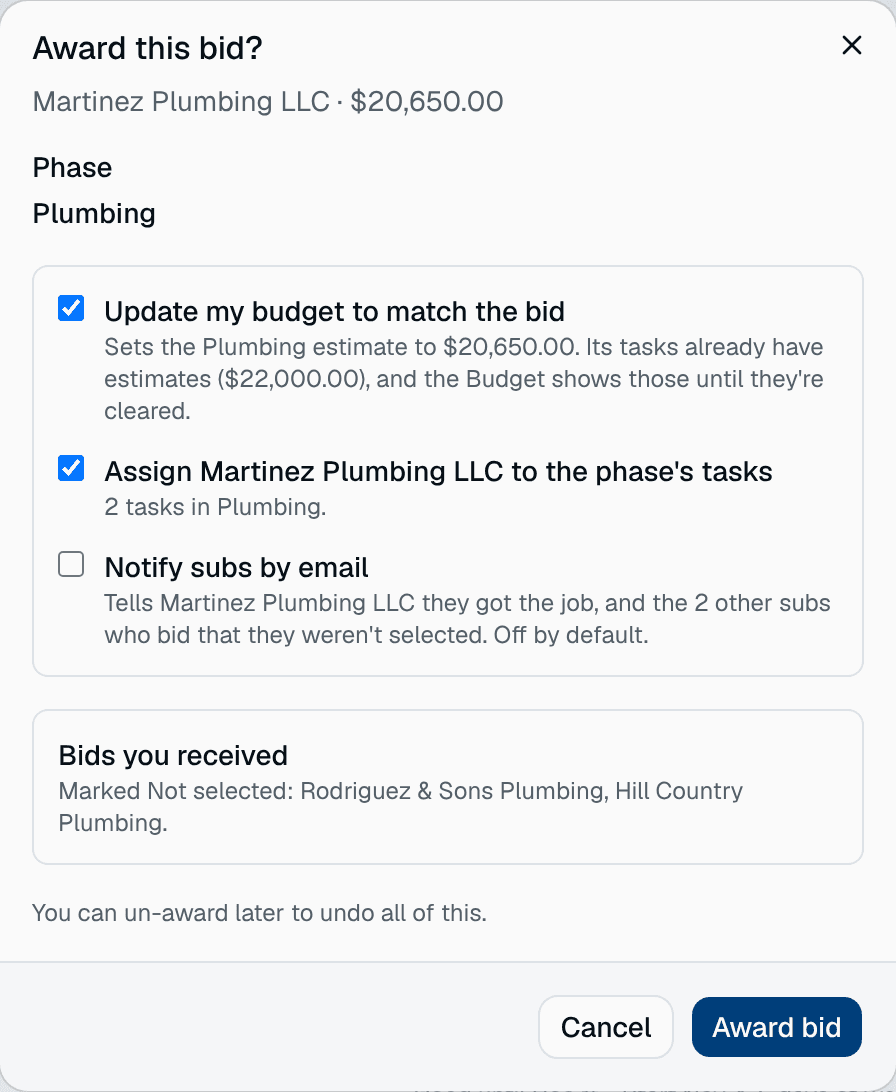
What happens when I award a bid?
The awarded bid updates the budget for that phase, so your estimate and your committed cost stay in step without retyping numbers.
How much does it cost?
Nothing during the beta. Every feature, including the AI Assistant, is free for every account. There is no credit card and no trial clock. Beta users will hear about any change well in advance.
Try it on your next job
Create a free account, look around the sample project, then schedule a real one.
Create a free account