
Compared with spreadsheets
Construction software vs. spreadsheets: when it's time to switch
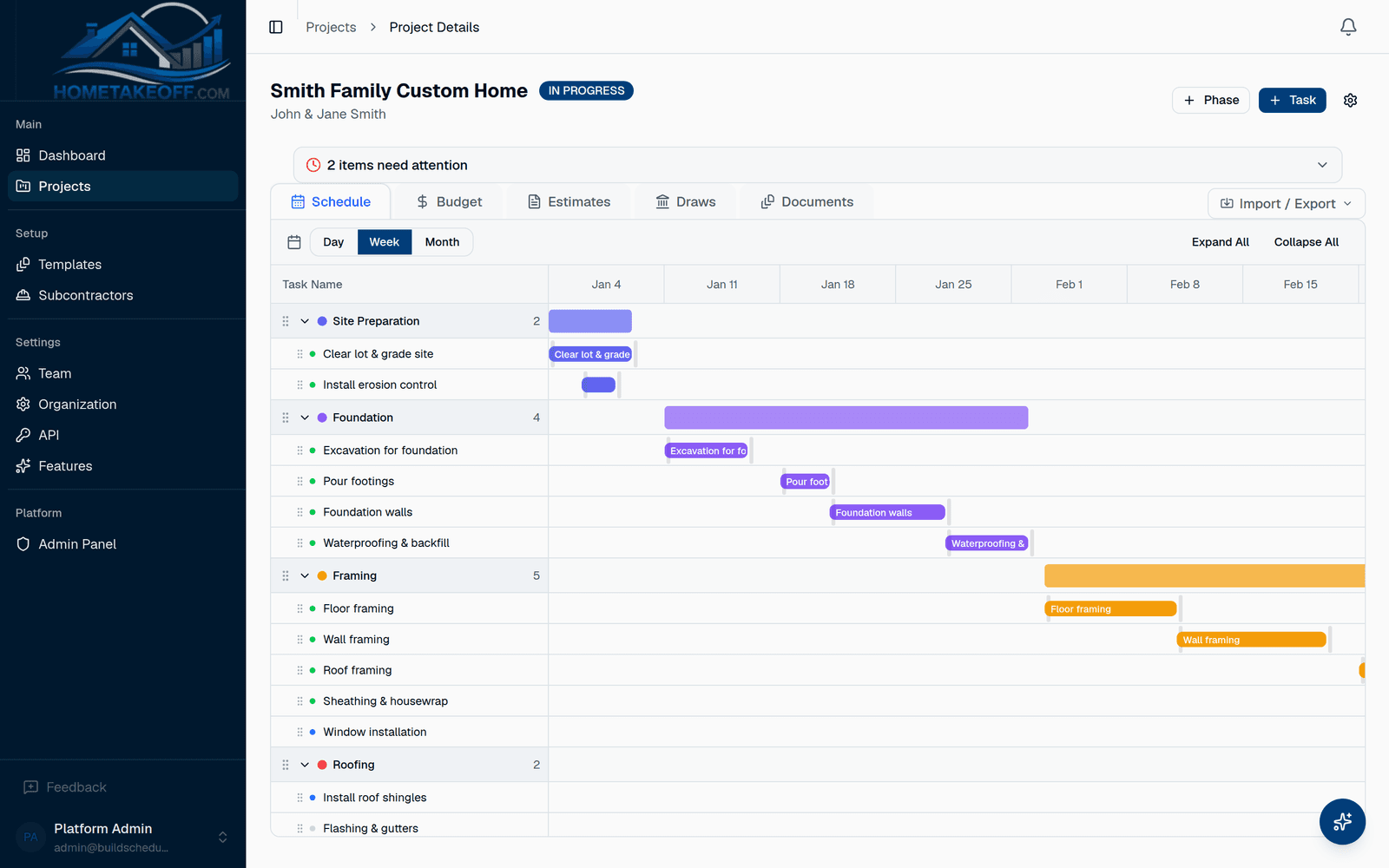
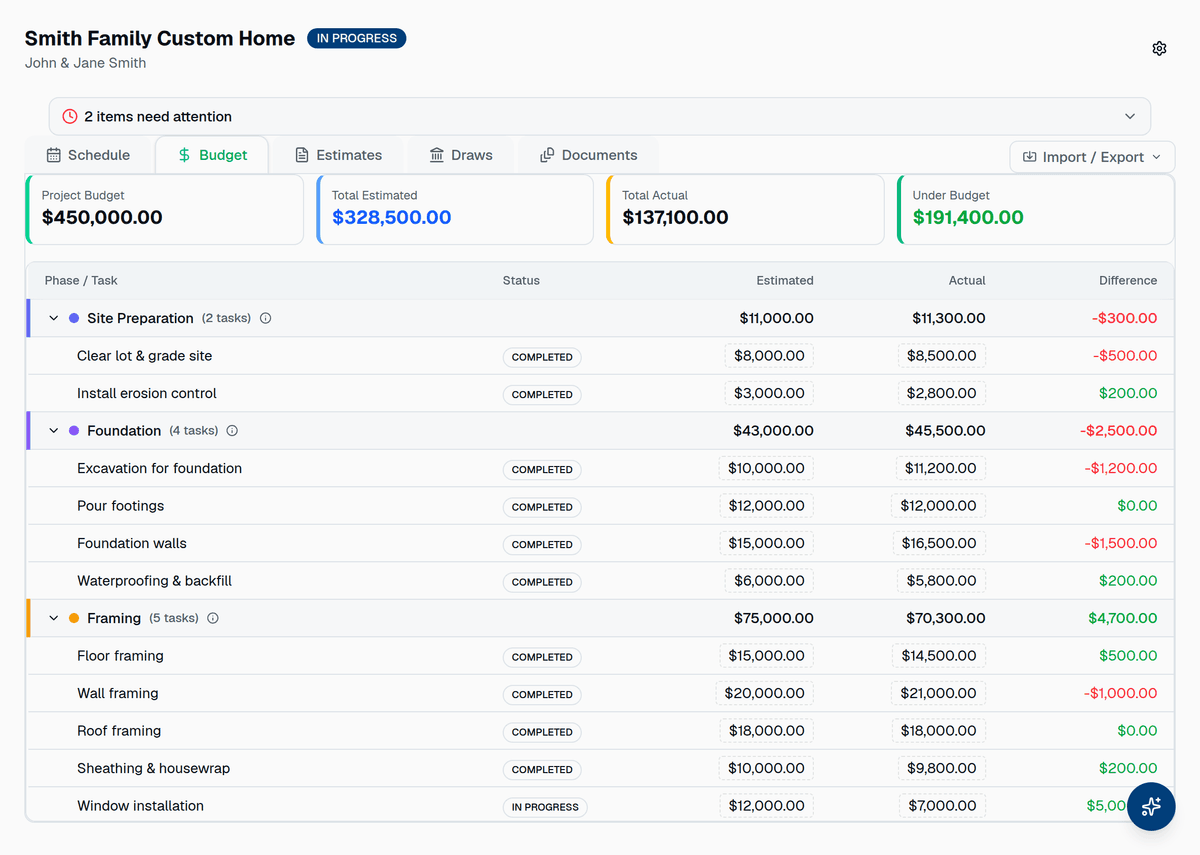
A spreadsheet is free, flexible and already open. It works until the schedule slips, the budget has three versions, and the bank asks for the draw backup. HomeTakeOff keeps what you like about a spreadsheet, a plain list of phases and numbers, and adds the parts a spreadsheet can't do on its own.
- Dates that move together when one task slips
- One budget, not three copies by email
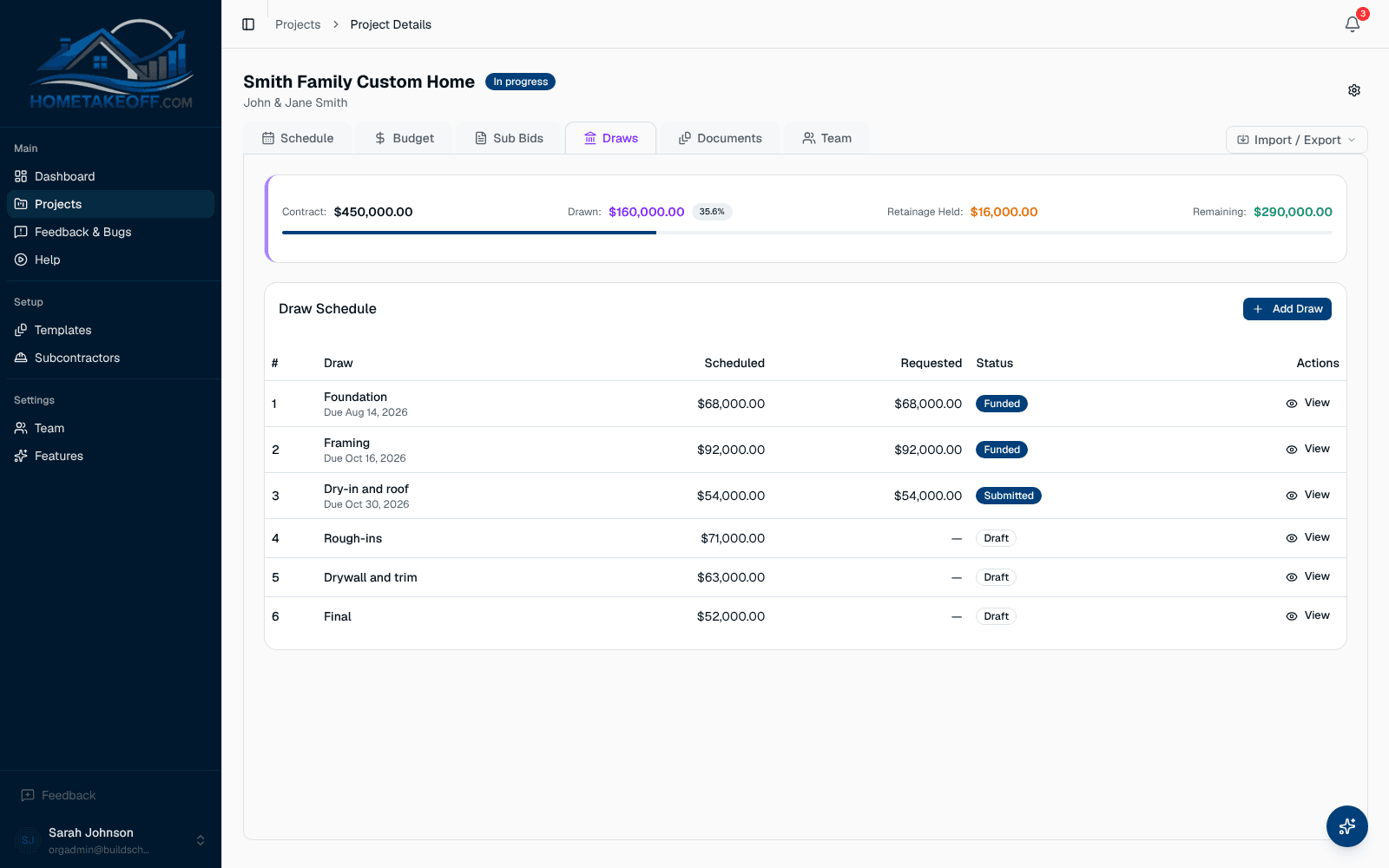
- Bids and draws tied to the same job
- Export to CSV whenever you want
Free during the beta. No credit card.
What a spreadsheet can't do on its own
You can build some of this with formulas. Then the person who wrote them goes on vacation.
- Move every later task when one slips
- Count workdays and skip weekends
- Show what's late today across every job
- Collect bids from subs and line them up side by side
- Track retainage and what each draw has paid
Keep the parts you like
Phases and tasks are still a list you can read. Budgets come in from CSV, and you can export the schedule and the budget back to a spreadsheet any time.
Signs it's time to switch
If two or more of these sound familiar, the spreadsheet is costing you time.
- You retype the same schedule for every new house
- Subs ask which version of the schedule is current
- The budget lives in one file and the actual costs in another
- A draw request takes an evening to put together
Try it on one job
Start your next house from a template, import the budget from CSV, and run it next to your spreadsheet for a month. If it doesn't save you time, export the data and go back.
Questions builders ask
Can I import my spreadsheet?
Budgets import from CSV, with a template to fill in, and your sub list imports from a spreadsheet. For the schedule, start from a template or set up the phases, then import the tasks from CSV.
Can I get my data back out?
Yes. Export the schedule and the budget to CSV whenever you want. Your projects belong to you.
How much does it cost?
Nothing during the beta. Everything in the app is free for every account, including the AI Assistant, up to a generous allowance for each company. There is no credit card and no trial clock. Beta users will hear about any change well in advance.
Try it on your next job
Create a free account, look around the sample project, then schedule a real one.
Create a free account